Rate what affects you
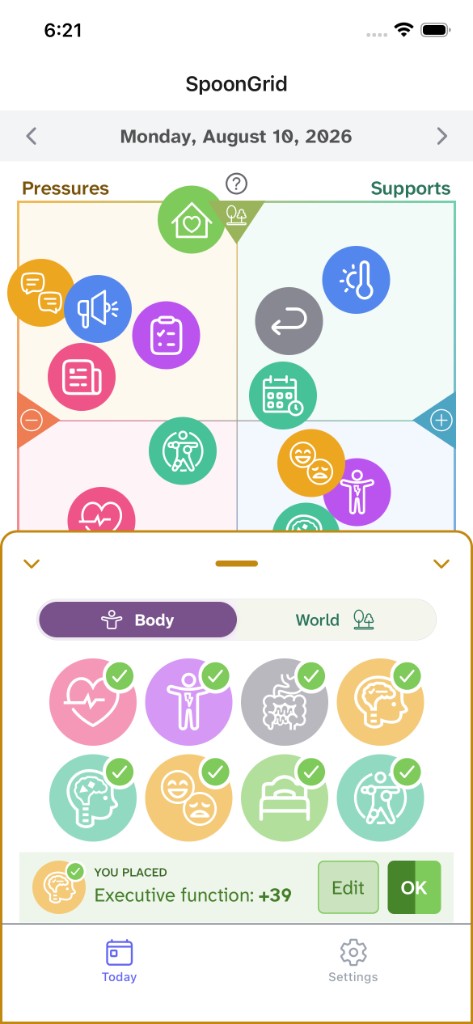
Each icon represents an ingredient in your day. Place each one from worst (left) to best (right). The top and bottom halves organize the ingredients into Body and World, so everything is visible at a glance.
Coming soon to iOS
SpoonGrid helps you manage your best and worst days with a simple, visual daily system that tracks what's impacting you and helps you plan — without long questionnaires or dashboards full of graphs.
Coming to iOS in Fall 2026 (Android TBA). Apply now to be an early tester for free.
Factors
Responses
A Simpler Way
Managing chronic illness is paradoxical: the less physical and mental energy you have, the more important it is to assess your condition and plan with what you have. SpoonGrid is an intuitive visual system that helps you do that with less cognitive fatigue. You can stop after the first step and still benefit. Even if you never return to the app after your morning-check-in, you'll have a stronger sense of what you're working with.
It's quick to build your daily grid, or go further with specific factors and plans when you have the energy.
Each icon represents an ingredient in your day. Place each one from worst (left) to best (right). The top and bottom halves organize the ingredients into Body and World, so everything is visible at a glance.
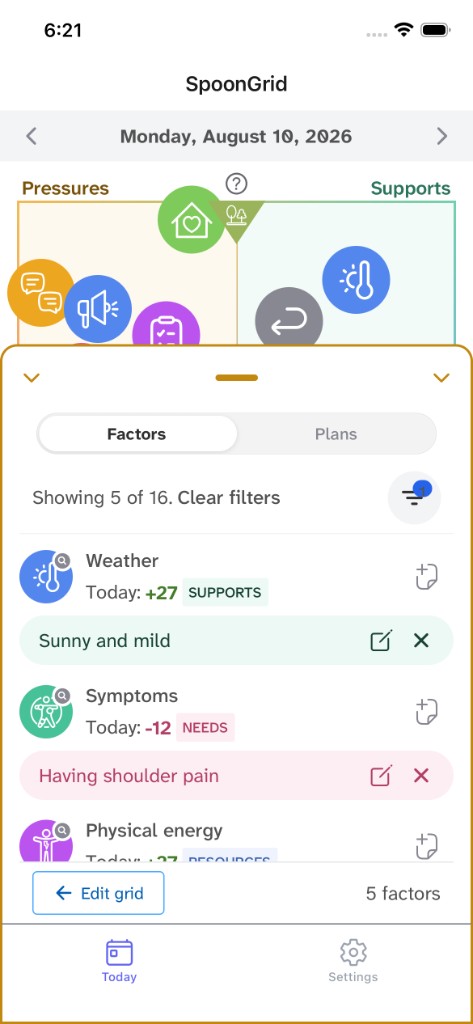
Get more specific by entering the factors behind your ingredient placements — like what's happening in the weather, or how something feels. Naming factors adds detail to your day and helps you plan.
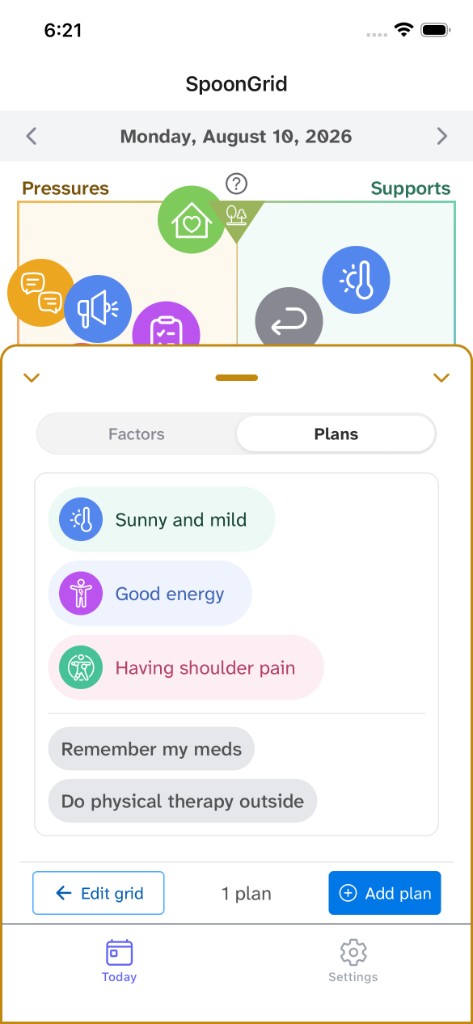
Make groups of factors that make sense for you, to help you decide how to respond. You have complete control to associate things how they make sense to you, and enter any response you want.
Accessibility first
Alpha testing is open to a small group. Sign up below to be considered.